
AI Overviews have influenced the entire SEO world and the way we perceive traditional metrics such as click-through rate and organic traffic.
These AI-generated summaries appear at the top of search results, providing users with quick, concise answers while citing relevant sources.
In this guide, we’ll take a look at:
- What are AI Overviews?
- How do AI Overviews work?
- How does AIO impact SEO?
- How to optimize your website for AI Overviews?
- How to track and analyze AI overviews?
What are AI Overviews?
AI Overviews are Google’s generative AI summaries that appear at the top of some search results. They provide quick, condensed answers pulled from multiple web pages and usually include links to the sources used to generate the summary.
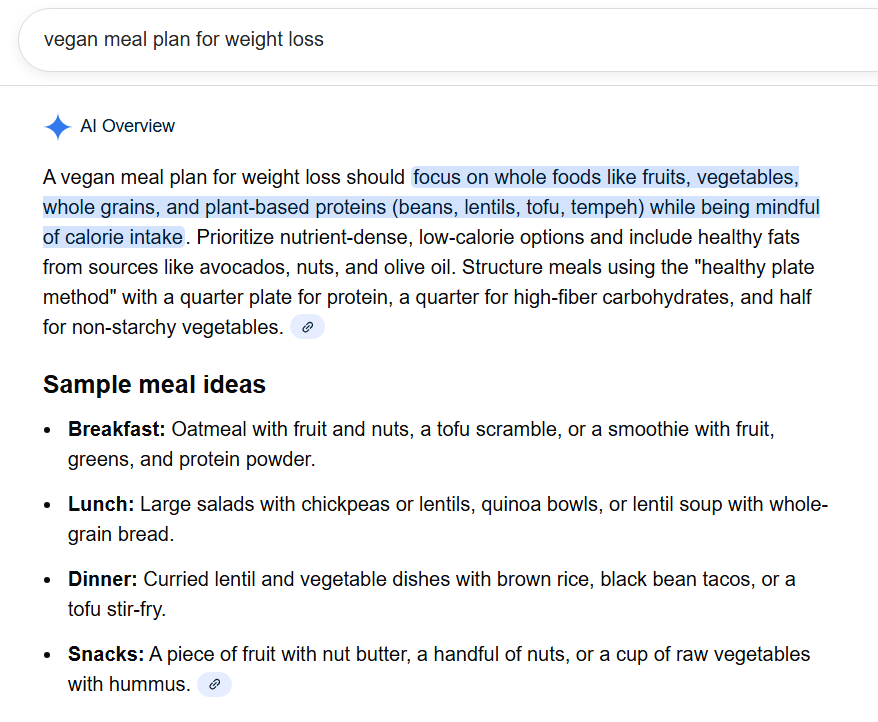
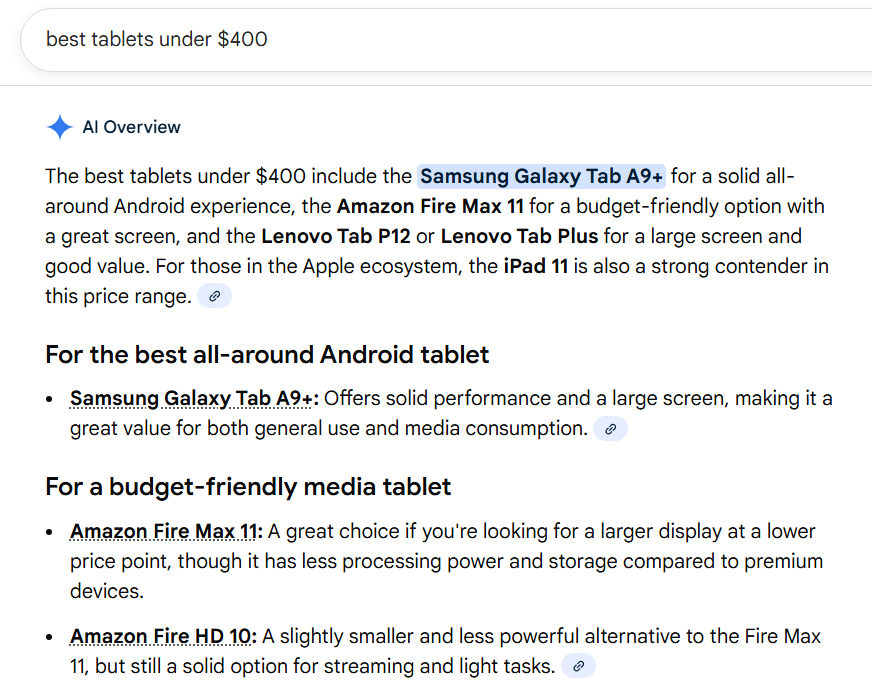
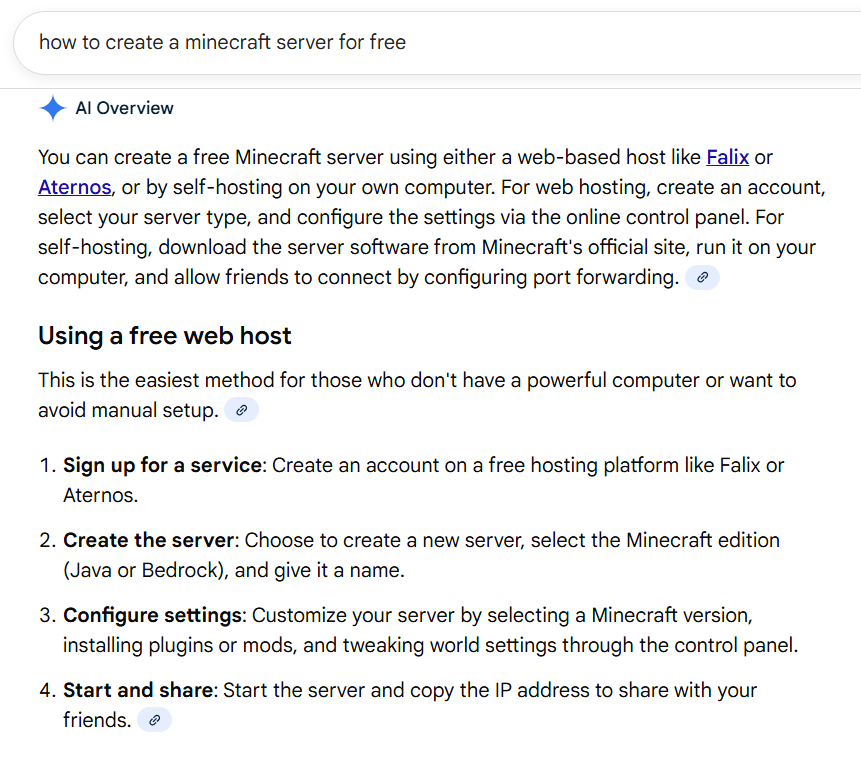
Here is a simple example of how AI overviews can look in Google Search
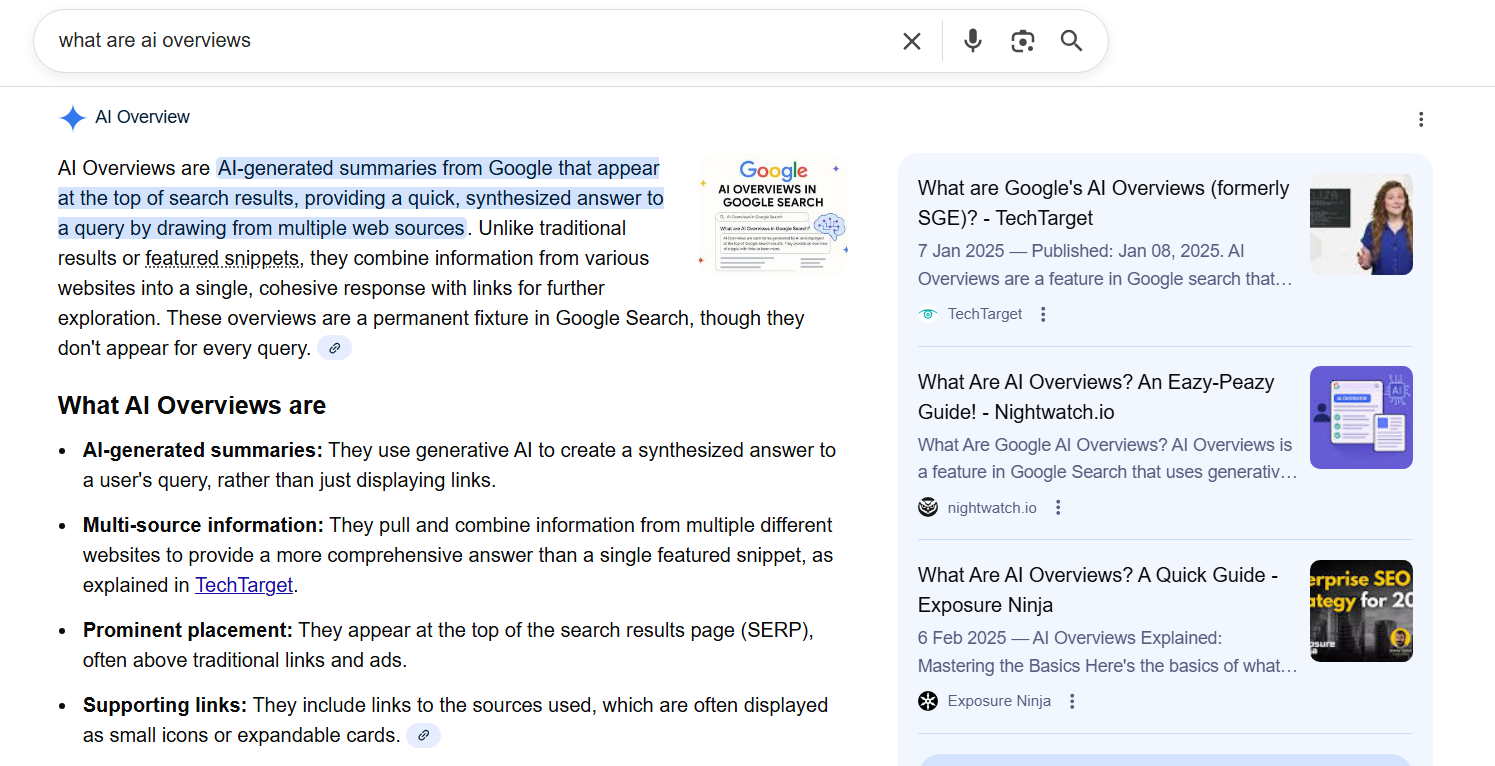
Instead of reviewing several pages, users get a snapshot of key information right away – whether it’s a simple definition or a more complex, multi-step query.
Google can combine multiple criteria (e.g., “best universities in Europe for international students”) and deliver a single, synthesized response.
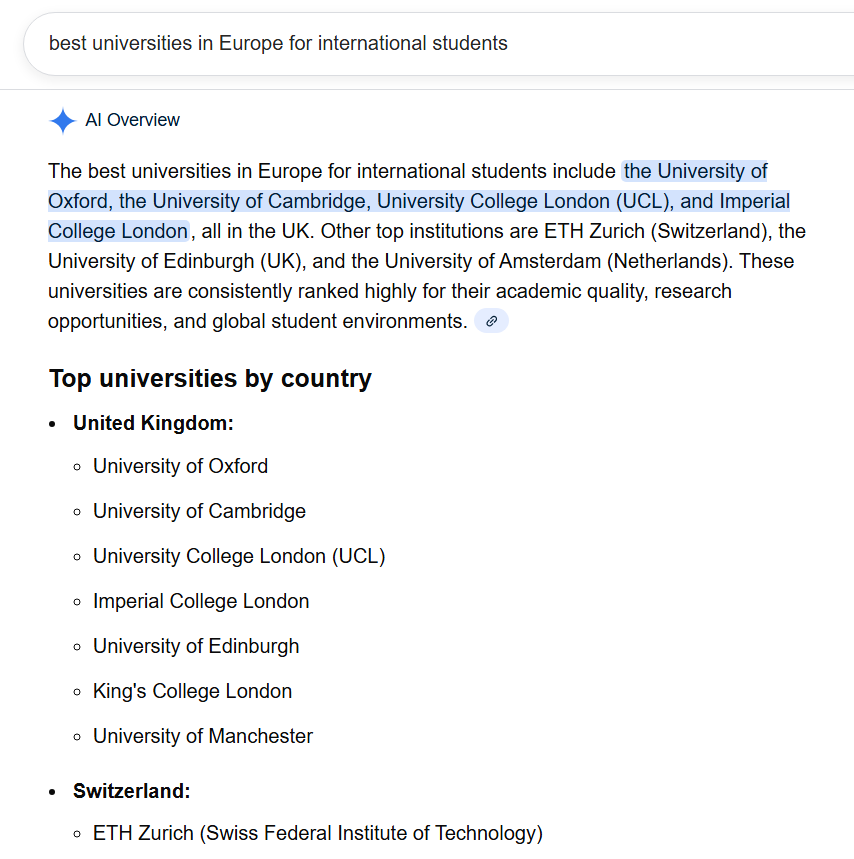
These results are interactive, too. In many searches, users can refine answers, adjust recommendations, or explore related options without leaving Google.
AI Overviews launched broadly in mid-2024 after Google’s experimental “Search Generative Experience (SGE)” phase. They’re now available in many countries and represent Google’s push to help users find answers faster with minimal friction.
For website owners, this also means Google is absorbing more of the informational journey – making it important to understand how AI-generated answers work and how they may influence your visibility and traffic.
How do AI Overviews work?
AI Overviews appear when Google believes a generative AI summary can help users get to an answer faster than traditional search results.
They don’t show up for every query – current data (according to Search Engine Journal) suggests they appear in roughly 20% of searches, and Google triggers them selectively, mainly for questions that are broader, multi-step, or hard to answer in a single click.
To generate these summaries, Google uses its Gemini language model along with information pulled from the wider web. The system evaluates the query, gathers relevant sources, and then creates a concise answer that appears above the organic results.
Because the output is generated by AI, Google acknowledges there’s still a risk of inaccuracies, and the company is actively refining the system.
Google is more likely to show an AI Overview for various types of keywords/queries, such as:
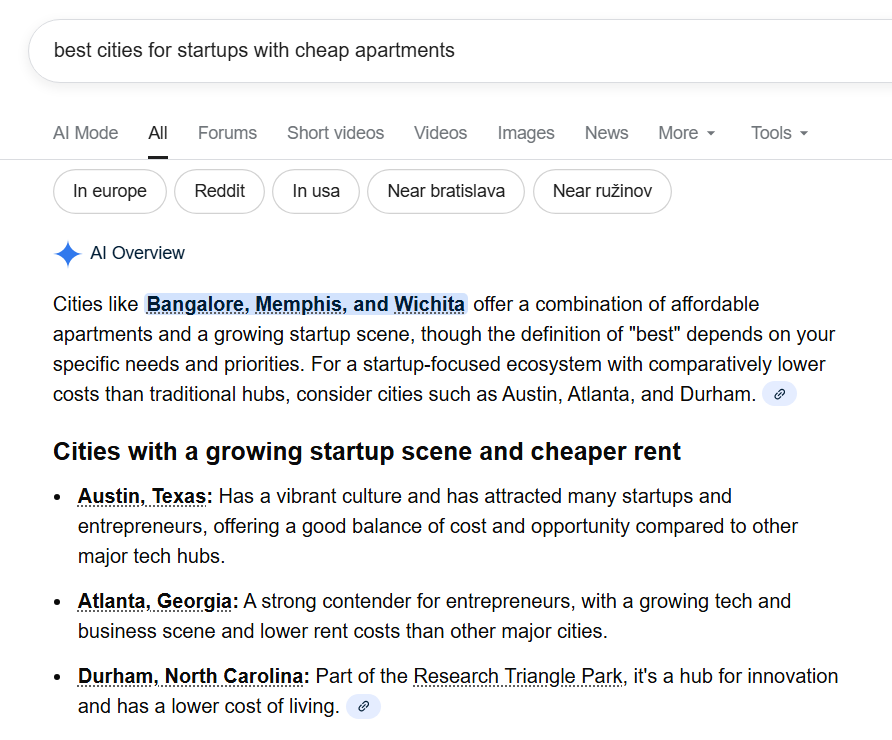
1. Complex or multi-layered queries that normally require several searches (e.g., “best cities for startups with cheap apartments”).
2. Informational and question-based searches, especially those starting with “what,” “how,” or “why.”
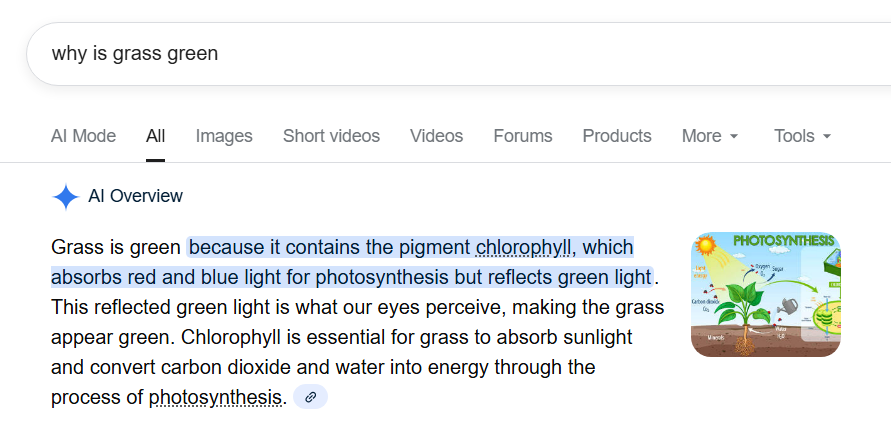
3. Planning, list-based, or comparison queries, such as itineraries, product comparisons, or meal plans.
4. Product research searches, where users want recommendations (e.g., “best tablets under $400”), though transactional queries still show standard shopping results.
5. How-to queries, where a step-by-step outline is useful.
6. YMYL topics (health, finance, and similar areas) – but only when high-authority content is available.
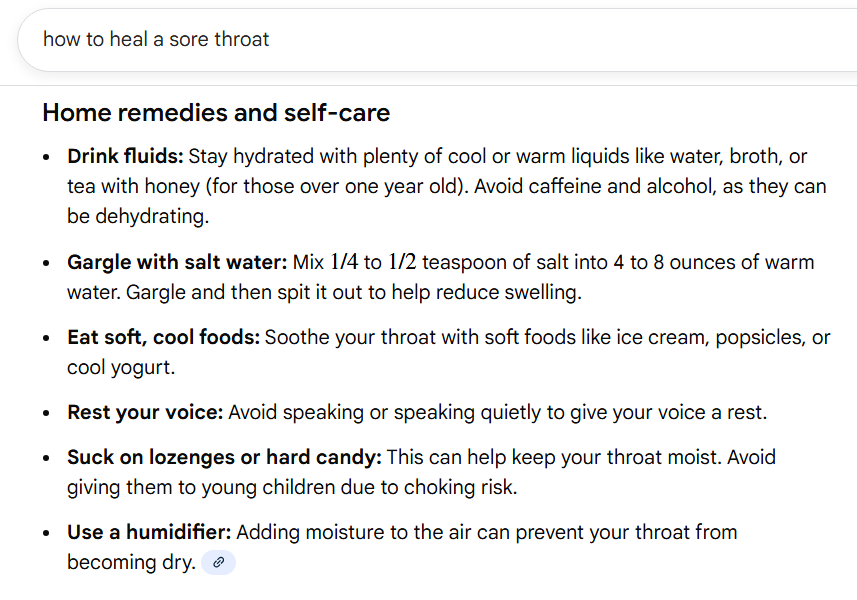
Depending on the query, AI Overviews can appear as short paragraphs, bullet lists, tables, or mixed media blocks with images.
Google pulls from several systems when generating these snapshots, including:
- Core ranking systems (PageRank, Reviews, Helpful Content)
- AI models like Gemini, PaLM 2, and MUM
- Databases such as the Knowledge Graph and Shopping Graph
- Search intent and topic type (especially for YMYL queries)
- Structured data on the page (e.g., Product, FAQ, LocalBusiness)
- Multimedia elements (images, videos)
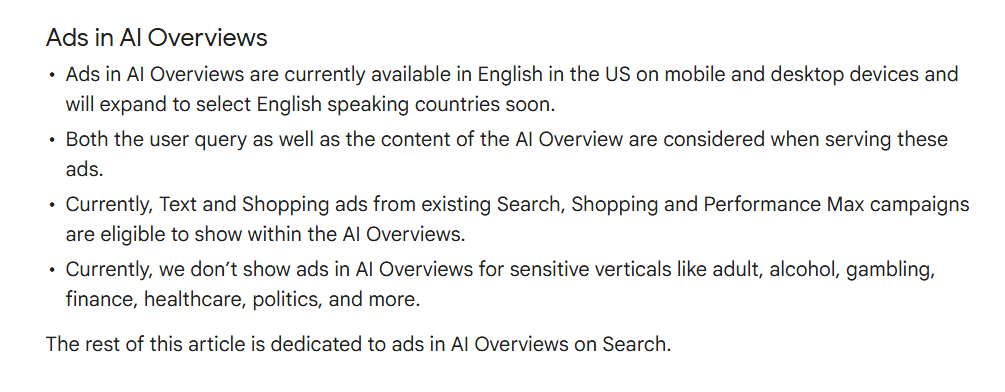
Note: Google has stated it will begin testing ads inside AI Overviews, clearly labeled as “Sponsored.”
Early experiments already show ads appearing within the panel. For businesses, this may reduce organic visibility – or increase total visibility if they are also running ads.
How AI do Overviews affect SEO?
AI Overviews shift how users interact with search results. Instead of scanning a list of blue links, many users get what they need directly from Google’s AI-generated summary. This reshapes the SERP in a few important ways:
- Some brands can get a higher visibility due to mentions and links that are present in AI overviews. However, visibility becomes more competitive. Being cited inside the AI Overview can give your brand prominent exposure – even if you don’t hold the top organic position.
- Organic results get fewer clicks. Users often find answers without visiting a website.
- A wider range of sources can appear. Google pulls from blogs, forums, videos, product pages, and other formats, which means traditional “authority-first” ranking is less predictable.
Overall, AI Overviews push more information to the top of the page. Let’s break down how exactly AI overviews can affect the SEO performance of your website.
a) Improved brand visibility
AI Overviews sit at the very top of the SERP and take up a large amount of on-screen space. Inside the panel, Google surfaces its AI-generated answer and a small set of source links – usually the top three by default.
If your content is cited here, you’re effectively getting position #1 visibility.
What’s interesting is that Google doesn’t limit these sources to the usual top-ranking pages.
In fact, according to Search Engine Land, most links surfaced in AI Overviews come from outside the traditional top 10, which means strong, relevant content can break through even if it isn’t ranking highly.
For many sites, this opens the door to visibility they may not have achieved through normal rankings alone.
But it also means pages that aren’t included in the snapshot get pushed much further down: Traditional organic results lose significant screen real estate.
In other words, earning a spot in AI Overviews can dramatically boost your exposure, even if you’re not already at the top of the organic results.
b) Lower click-through rate
AI Overviews make it easier for users to get answers without clicking a single result.
Similar to featured snippets, they increase the likelihood of zero-click searches because the essential information is displayed directly in the AI panel.
This naturally reduces the number of clicks going to the organic results below.
Sites that previously relied on “question + answer” traffic—definitions, quick facts, simple how-tos, etc., may feel this drop the most.
However, the impact isn’t uniform.
If your content is cited inside the AI Overview, your visibility may actually improve.
Some websites already shown that being featured sources often get a higher CTR because they appear at the top of the page with strong credibility signals:
- The downside is that many users will stop at the summary if it fully meets their needs.
- The upside is that the users who do click tend to be more qualified. Instead of casual visitors looking for a quick fact, you attract people with deeper intent- like someone researching caffeine intake rather than someone settling a debate with friends.
In short, AI Overviews can suppress overall clicks but also filter out low-intent traffic.
Whether that’s a net positive or negative depends on the type of content you publish and how often your pages appear in the summaries.
Which brings us to the 3rd point…
c) More qualified traffic and conversions
While AI Overviews may reduce total clicks, the visitors who do click tend to be more qualified.
The summary gives users a quick understanding of the topic upfront, so anyone who chooses to open a cited source is usually looking for deeper detail or guidance.
Because the AI effectively “pre-screens” content, these users arrive with clearer intent and often with more trust.
They already know your page contains the information they want, which can lead to stronger engagement and higher conversion potential.
Google also notes that AI Overviews expose users to a wider range of websites, especially for complex questions.
That means pages that might not have been discovered through traditional rankings can still attract motivated visitors.
It’s less about maximizing traffic volume and more about attracting readers who are genuinely interested in what your content or business offers.
How to optimize for AI Overviews
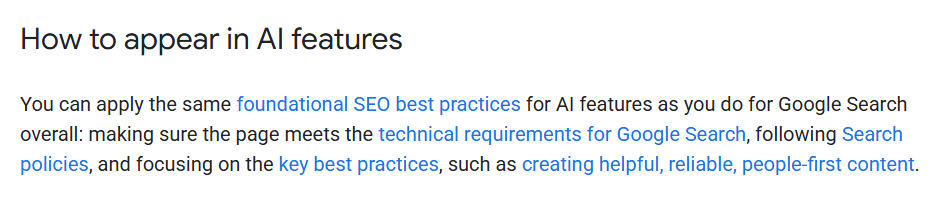
There’s no a direct way or secret tactic for getting featured in AI Overviews. Google says its systems automatically select sources based on the same signals used in regular search.
In other words, if you follow Google Search Essentials, you’re already on the right path:
That said, you can increase your chances by making your content easier for AI systems to understand and trust.
Here are 7 steps that will increase the probability that your website will appear in AI overviews:
- Make your website accessible to web crawlers
- Focus on long-tail keywords and questions
- Create high-quality content
- Improve the UX
- Use on-page SEO techniques
- Implement structured data
- Focus on link-building
Let’s take a look at every step in more detail.
1. Make your website accessible to web crawlers
Before Google can feature your pages in AI Overviews, they need to be crawled and indexed. Crawling is how Google discovers your pages, and indexing is when those pages are added to Google’s database.
Therefore, it is important (from the technical SEO perspective) to focus on:
- Robots.txt restrictions: This file tells Google which pages to crawl. If it blocks certain pages, Google won’t see them.
- Accidental noindex tags: Meta robots tags can prevent pages from being indexed. If applied unintentionally, affected pages won’t appear in search results.
- 4XX errors: Pages returning 404 (not found) or 403 (forbidden) codes cannot be crawled or indexed.
- Poor site structure: A disorganized site makes it harder for Google to navigate and discover all your pages efficiently.
- Sitemap issues: If Google cannot find your content, it is impossible to use it as an answer in AI overviews.
- Redirect issues: Chains or redirect cycles prevent crawlers from visiting the final destination (the actual web page).
Crawling and indexing are essentially the first steps that ensure your website will be eligible to appear in AI overviews.
2. Focus on long-tail keywords and questions
AI Overviews are designed to answer complex, detailed queries – often expressed as long-tail keywords. These are specific searches, usually 3 – 4 words or more, that reflect precise user intent.
By optimizing your content around long-tail keywords and question-based queries, you will increase the likelihood that Google will feature your page in an AI Overview.
In order to do this, you can use Mangools KWFinder and perform a comprehensive keyword research in order to find question-like search queries and long-tail keywords that are important in your niche and for your business.
All you have to do is to simply enter your seed keywords, and select the “Autocomplete” and/or “Questions” tab.
KWfinder will the search and show keywords, for which you can create and optimize content on your website.
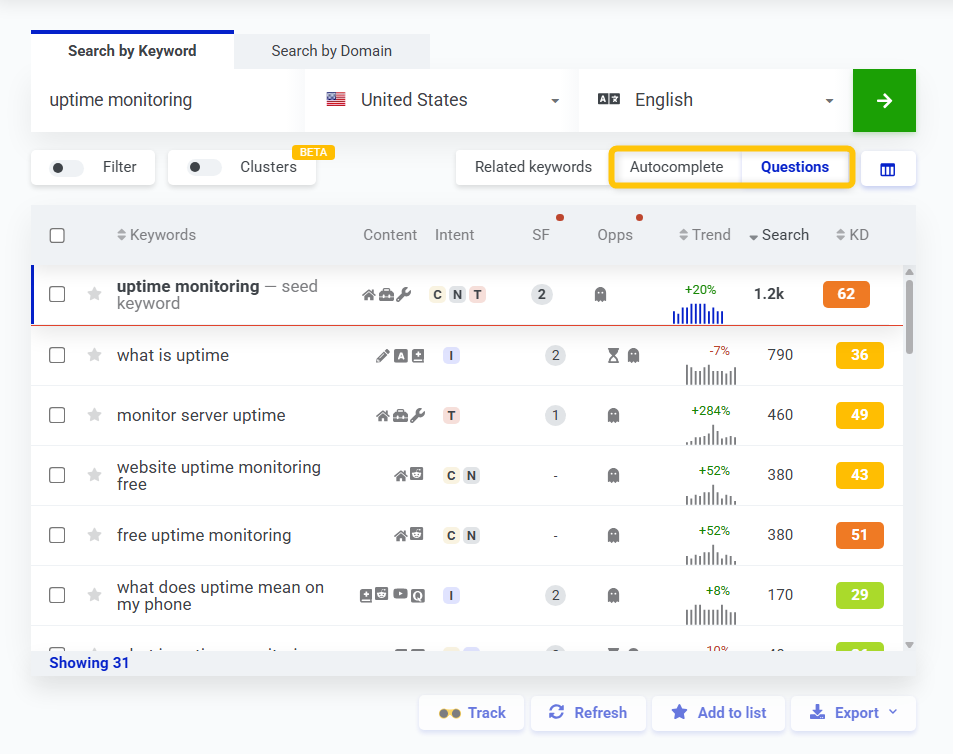
In addition to that, you can also check and analyze multiple important SEO metrics such as:
- KD (keyword difficulty) – to see how difficult it will be to actually rank for the given keyword.
- Search intent – to understand what Google users are searching for when they type the chosen query (e.g., search for info or trying to buy an item).
- Content type – to satisfy the search intent with a proper type of content (e.g., with a blog post, guide, landing page, etc.).
- Keyword opportunities – various weak spots of the top-ranking pages that you can utilize to your advantage.
3. Create high-quality content
High-quality content is key to getting featured in AI Overviews. Google prioritizes content that is accurate, original, and valuable, and demonstrates expertise on the topic.
In order to meet these criteria, your content has to have multiple quality aspects in check, such as:
- Accuracy: Ensure facts are correct and reliable.
- Originality: Provide unique insights or a fresh perspective.
- Expertise: Content should come from knowledgeable authors.
- User value: Answer the questions and needs of your audience clearly.
This is especially important for YMYL topics (finance, health, legal, or other areas that impact well-being), where Google applies stricter quality standards.
In addition to that, structuring content for both readers and AI improves the chances of being summarized. You should use clear headings, bullet points, numbered lists, and concise summaries.
You can also highlight key points in tables, FAQs, or bolded takeaways, and consider a short conclusion that directly answers the main question – this is often what the AI pulls into its summary.
Well-structured, authoritative content not only helps users but also signals to Google that your page is trustworthy and worth featuring.
4. Improve the UX
User experience (UX) is critical for both traditional rankings and AI Overviews. Content that’s easy and enjoyable to interact with is more likely to be featured.
There are multiple SEO factors that can significantly influence whether or not your website will appear in AI overviews, such as:
- Page speed: Ensure pages load within a few seconds to prevent users from leaving.
- Mobile-friendliness: Use a responsive design so content displays correctly on all devices, without excessive zooming or horizontal scrolling.
- Secured access: Protect users’ data with HTTPS to build trust.
Generally speaking, most of these aspects are optimized and come “out-of-the-box” with any popular CMS and hosting provider.
However, if you have a custom website, make sure to work closely with your development team to address these issues.
A smooth, reliable user experience increases the chances that Google will feature your content in AI Overviews.
5. Improve your on-page SEO
On-page SEO helps Google better understand what your content is all about and increases the chances of being featured in AI Overviews.
Therefore, it is important to focus not only on the GEO techniques or AI search engines in general, but also on traditional on-page SEO aspects, such as:
- Title tags: Include your main keyword to signal the page’s topic.
- Meta descriptions: Write compelling summaries to attract clicks in search results.
- URL slugs: Keep them short, descriptive, and keyword-rich.
- Semantic headings (H1, H2, H3, etc.): Organize content and include target keywords where relevant.
- Keywords in content: Use naturally throughout your content, without keyword stuffing.
- Image alt texts: Describe visuals to improve accessibility and search relevance.
- Internal links and anchor texts: Connect related content to guide both users and search engines.
Proper on-page SEO ensures Google can accurately interpret your content, which is essential for both organic rankings and AI Overview selection.
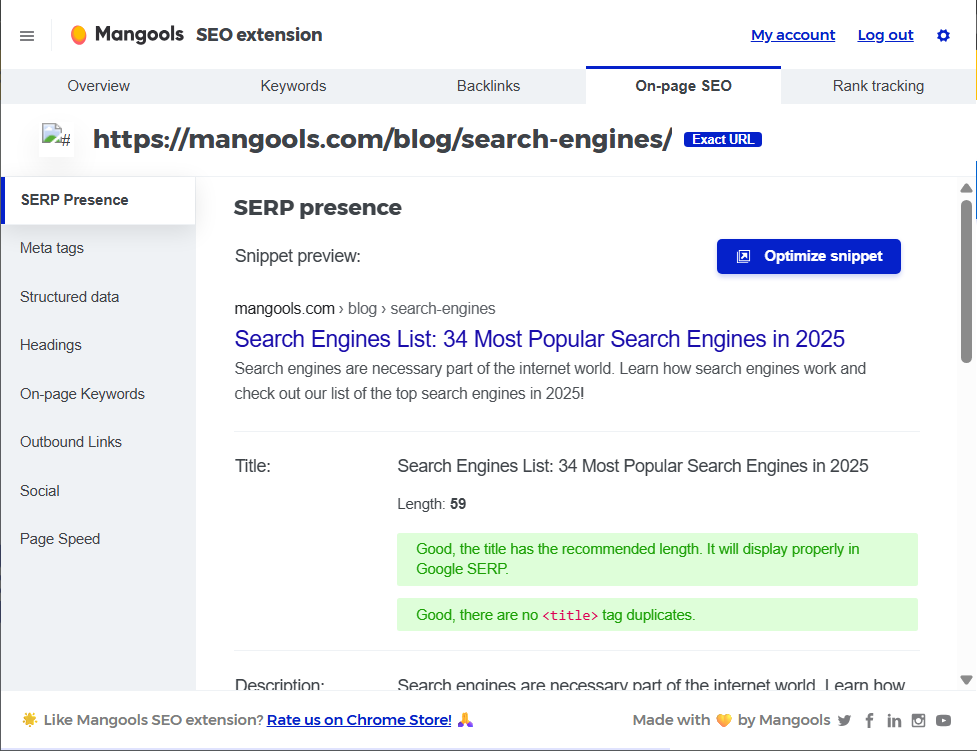
You can use our free Mangools SEO browser extension to quickly check any page on your website and its on-page elements.
This will help you make sure that your website is properly optimized without any necessary SEO issues.
6. Implement structured data
Structured data provides Google with clear, organized information about your pages, making it easier for AI to understand your content. It highlights key details like products, pricing, FAQs, recipes, or article content.
For example, a recipe page using Recipe schema can be cited directly in an AI Overview, giving Google a clear signal about the steps and ingredients.
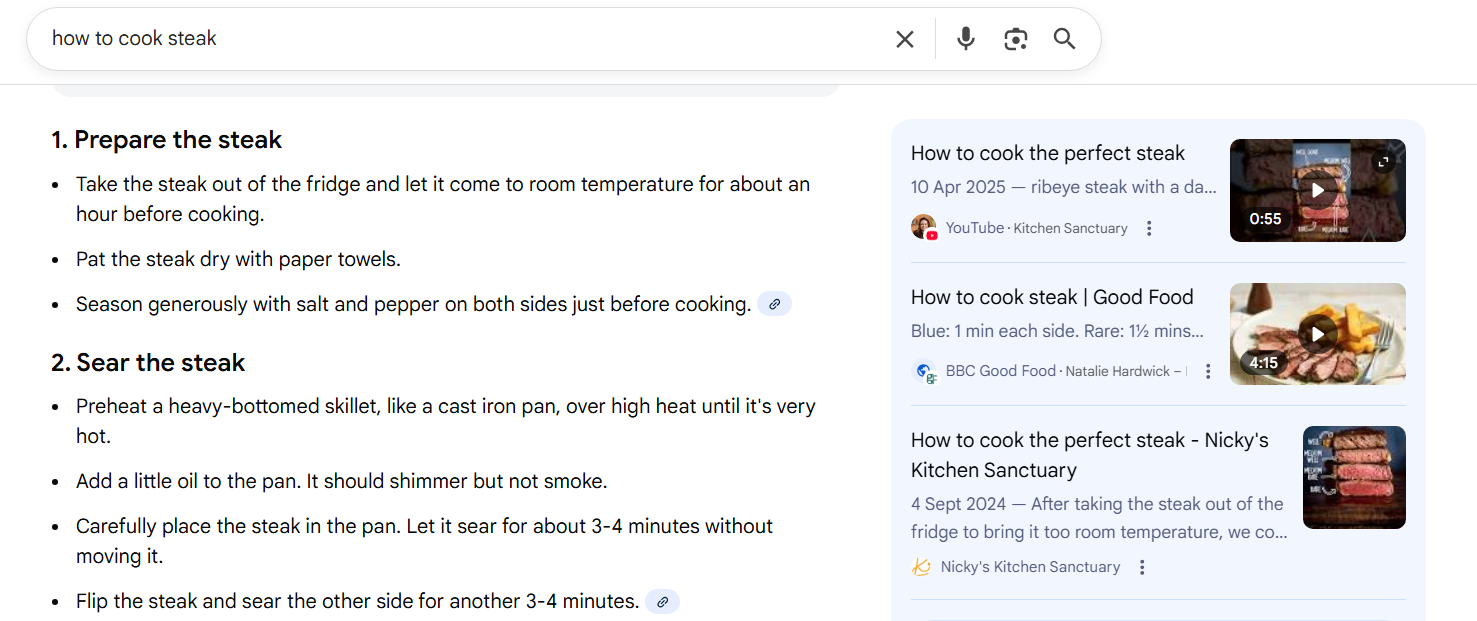
There are various types of schemas that you can utilize for your website (depending on the content you created) such as:
- FAQPage: For question-and-answer sections.
- HowTo: For step-by-step instructions.
- Article or blog schema markup: For blog posts or news content.
- Breadcrumb: To clarify site structure.
While structured data doesn’t guarantee inclusion in AI Overviews, it significantly improves the AI’s ability to parse and understand your content, increasing your chances of being featured.
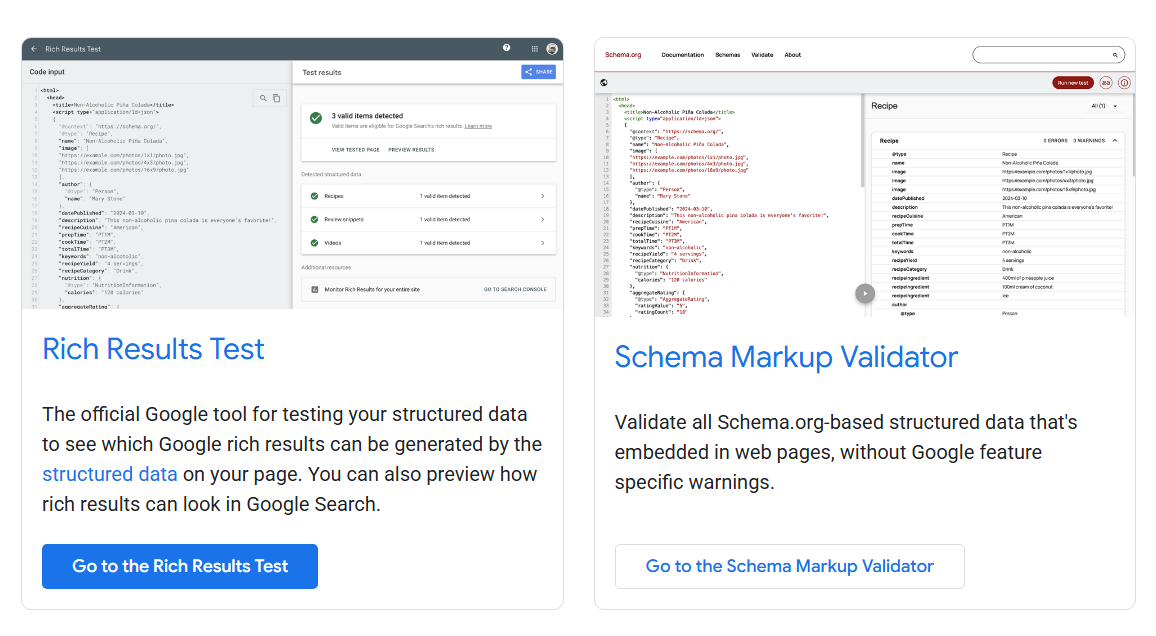
You can use tools such as Rich Results Test or Schema Markup Validator to quickly check whether your structured data are valid and do not contain any mistakes.
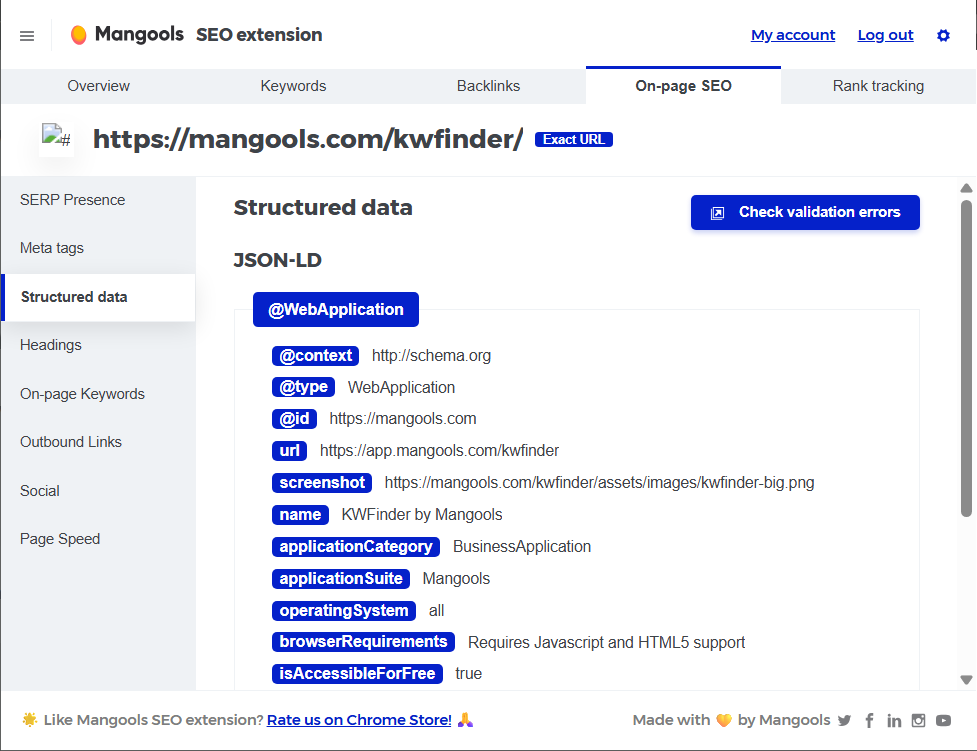
Alternatively, you can use the Mangools extension to instantly analyze any web page directly in your web browser.
H3: 7. Focus on link-building
Backlinks are links from other websites to your content, and Google treats them as endorsements of your site’s reliability and value.
Therefore, pages with strong backlink profiles are more likely to be featured in AI Overviews.
To attract backlinks, focus on outreach: identify relevant sites in your industry and reach out to suggest linking to your content.
High-quality backlinks not only improve traditional SEO but also signal to Google that your page is a trustworthy source, increasing its chances of being included in AI-generated summaries.
You can use Mangools LinkMiner to check, analyze, and “steal” backlinks from the top-ranking competitors in Google Search. The process is pretty straightforward.
- Copy the top-ranking URLs from the SERP
- Paste them into the LinkMiner tool
- Check and analyze the strength of their backlink profiles and utilize their backlinks to your advantage.
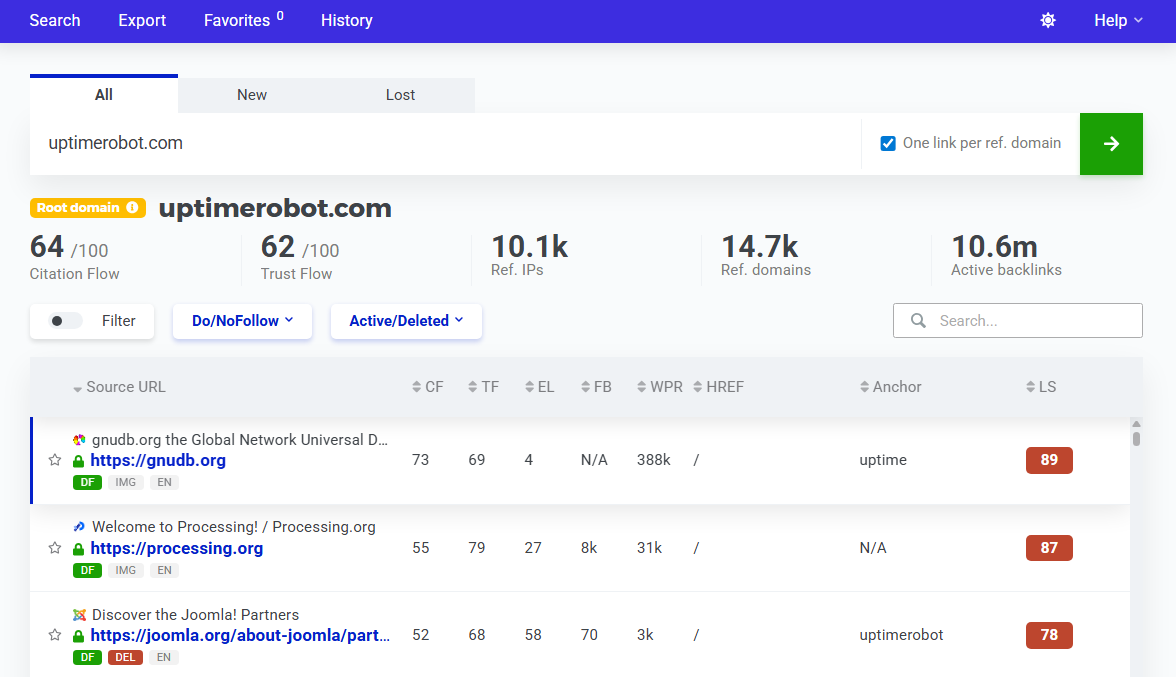
You can also check URLs that appear in AI overviews directly to see if there are any potential link-building opportunities for your website.
How to check and track Google AI Overviews
Currently, Google doesn’t provide separate metrics for AI Overviews.
Although impressions, clicks, and average position data are included in Google Search Console, AI Overview interactions are bundled with traditional organic results and other SERP features.
This basically means that you wont be able to see whether or not your website appears in AI Overviews directly in Google Search Console.
Some SEOs have tried workarounds to isolate AI Overview data, but these methods are limited and not fully reliable.
As of now, there’s no official way to track AI Overview performance independently, and Google hasn’t announced plans to change this.
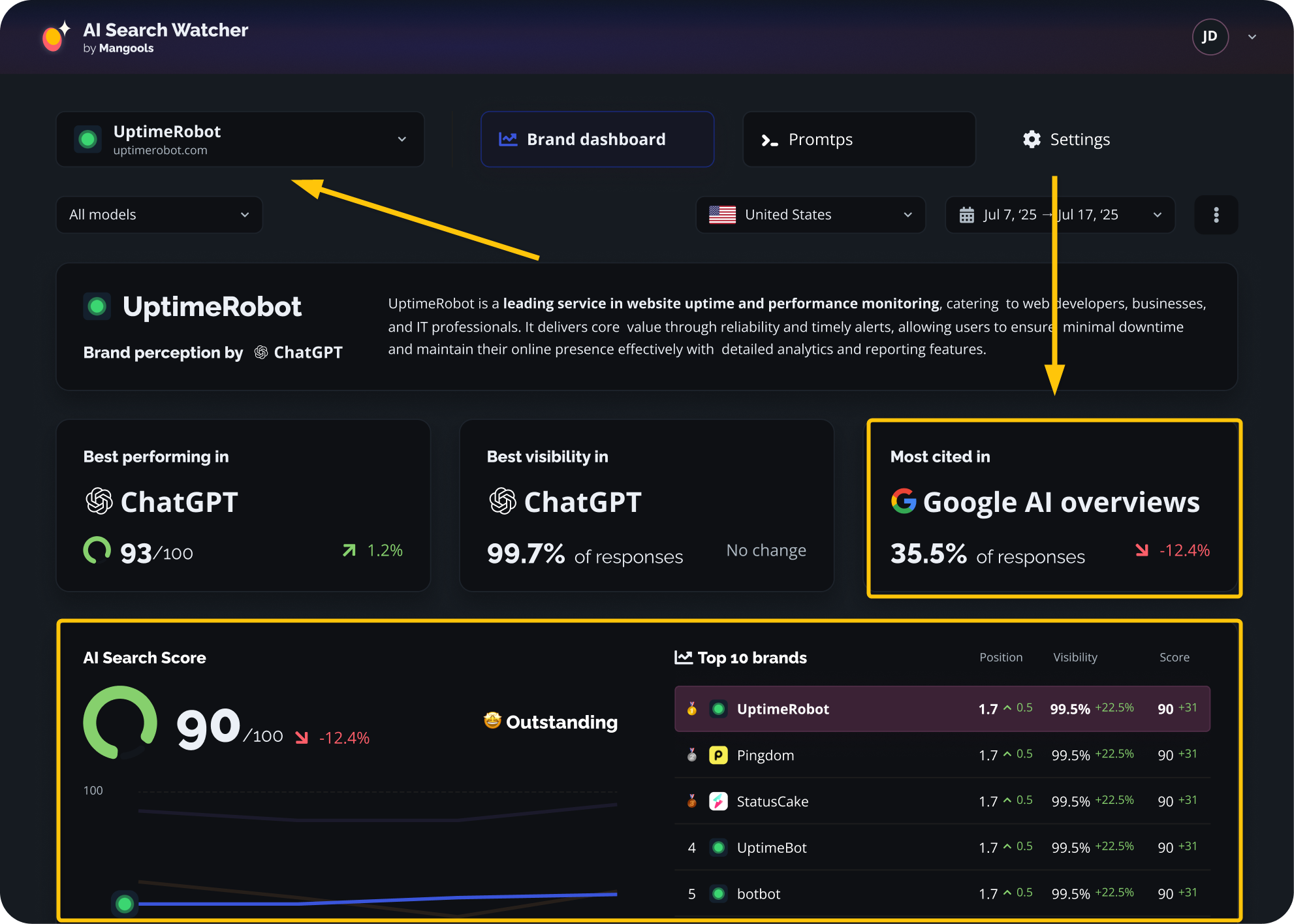
On the other hand, you can use tools such as Mangools AI Search Watcher that will help you monitor your presence in AI overviews (along with other huge LLMs such as ChatGPT, Gemini, Claude, Grok, etc.).
AI Search Watcher is very easy to use, all you have to do is to:
- Enter your website
- Add your custom prompts which you would like to monitor (or use the suggested ones by our LLM rank tracker)
- Start tracking your presence in AI overviews
AI Search Watcher will then show you how often you appear in the chosen Google AI overviews, along with search score and the top 10 websites that you are competing with.
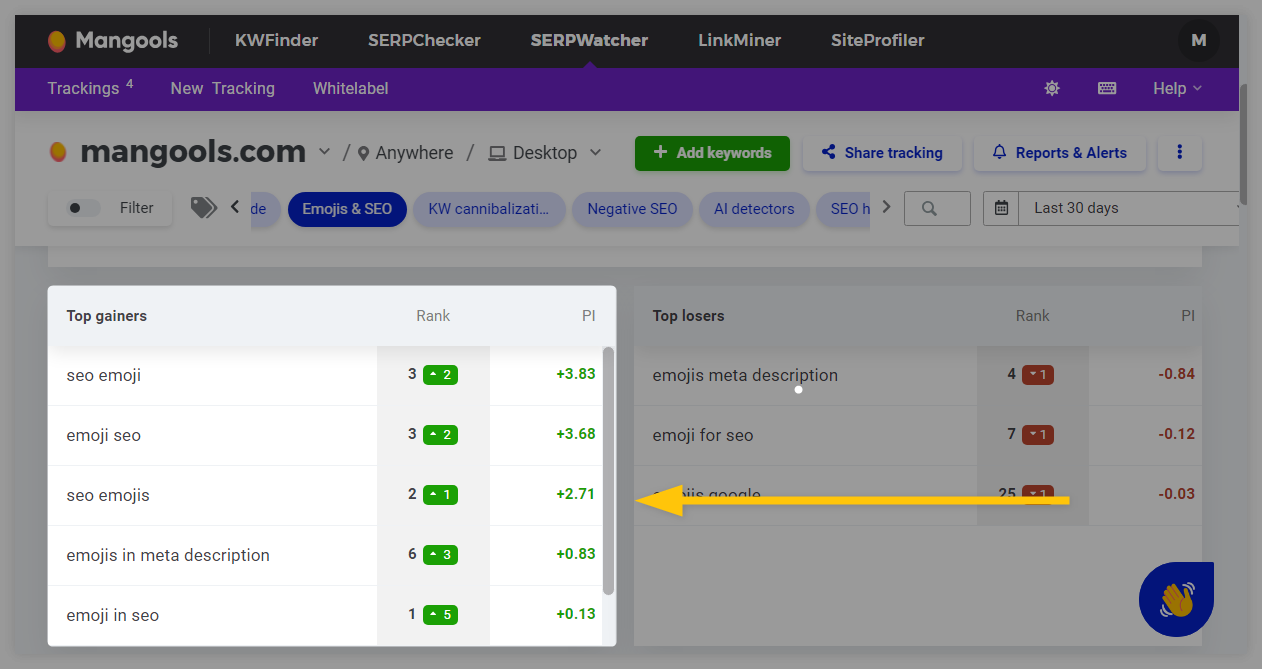
You can also use Mangools SERPWatcher to track the ranking position of your website for the selected long-tail keywords and queries, and see what the actual position of your pages is in Google Search
How to opt out of Google AI Overviews
There’s no direct way to completely opt out of having your content appear in AI Overviews.
Similar to featured snippets or People Also Ask, Google automatically selects publicly available content when it believes an AI-generated summary will help users.
However, you can take traditional SEO techniques to limit exposure of your website in AI overviews:
- Robots.txt: Block Google from crawling specific pages or sections.
- Noindex tags: Prevent pages from being indexed entirely, keeping them out of AI Overviews (and search results).
- Nosnippet tags: Stop Google from generating text snippets, which can reduce the chance of being summarized.
These measures, however, should be used cautiously. AI Overviews can actually increase click-through rates, and blocking content may mean missing out on valuable traffic.
For now, the safest approach is to follow standard SEO best practices, produce high-quality content, and let Google determine which pages to feature. The long-term impact of AI Overviews on SEO is still evolving.
